


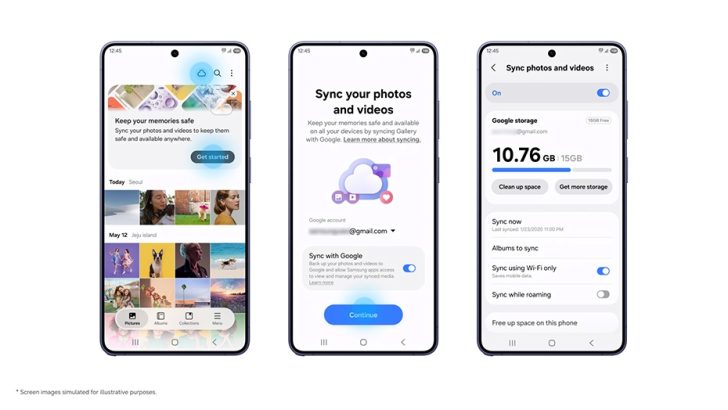
Samsung Electronics has introduced a new Gallery sync service that connects Galaxy devices to Google storage. The update aims to simplify how users manage photos and videos across multiple gadgets. Users can now view their media library on a tablet after taking pictures on a phone, provided both devices share the same accounts.
One UI 9 and Google Integration
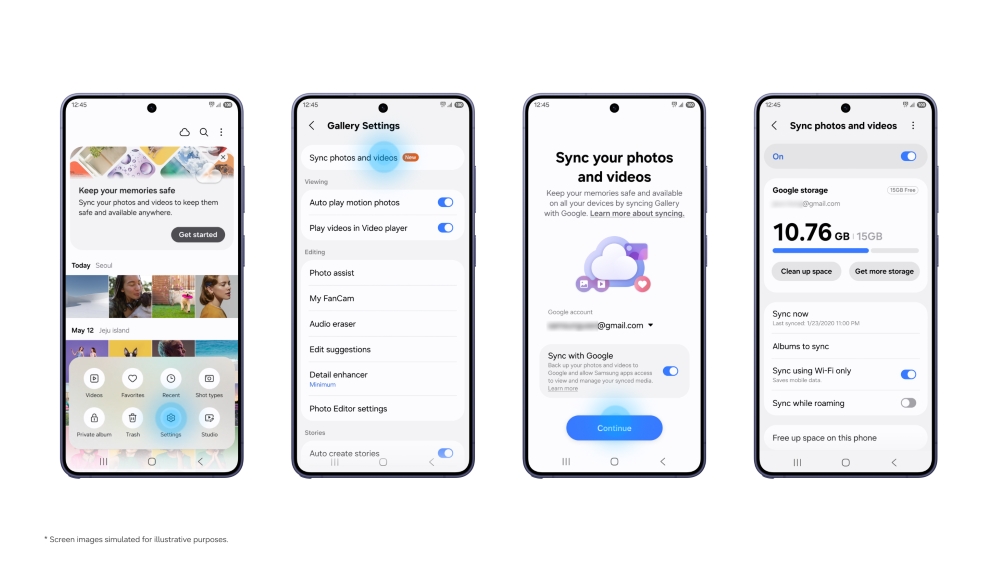
The feature is part of the One UI 9 rollout, which Samsung is releasing in phases to select Galaxy devices. To use the service, users must sign in with both a Samsung account and a Google account on each supported device. Once logged in, they can enable sync directly within the Gallery app settings.
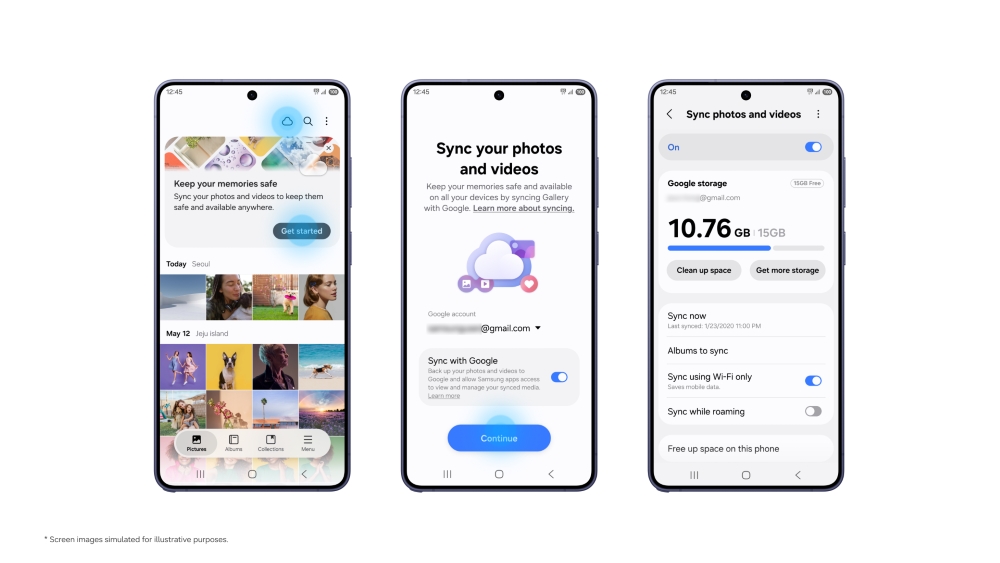
The setup process involves tapping the Cloud icon in the Gallery app or following the on-screen instructions from a tip card. After enabling the “Sync photos and videos” toggle, the device begins uploading media to the associated Google account. This integration removes the need for a separate cloud subscription specifically for Samsung Gallery.
Google accounts come with 15 GB of shared storage at no cost. This space is divided among Gmail, Google Drive, and Google Photos. Users with limited free storage may need to manage their existing files or purchase additional space from Google to accommodate their photo and video libraries.
Freeing Up Device Space
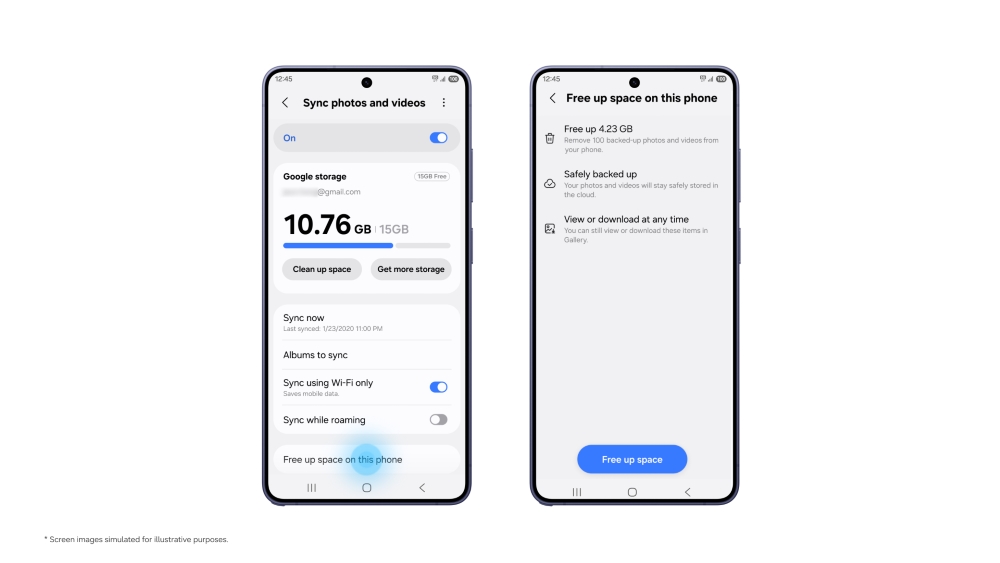
A key benefit of this sync service is the ability to reclaim local storage on Galaxy devices. Samsung has added a “Free up space” feature that works in tandem with the Google sync. Once photos and videos are successfully uploaded to the cloud, users can choose to delete the original high-resolution files from their device.
Deleting these files does not remove the images from the Gallery app. Instead, the app retains low-resolution thumbnails. These thumbnails allow users to browse their entire photo history and view previews without consuming significant local storage. If a user needs the original file, they can select it and download it back to the device on demand.
This functionality addresses a common issue for smartphone users who run out of storage after capturing large amounts of media. By offloading the original files to Google storage, users can continue taking photos without constantly deleting old memories. The sync operates in the background, ensuring that the media library remains consistent across all linked devices.
For users setting up a new Galaxy device, the process is straightforward. They simply sign in with the same Samsung and Google accounts used on their previous device. After turning on sync, the new device will display previews of the existing photo library. This ensures a seamless transition between devices without manual file transfers.
Samsung is expanding support for this feature in phases. Users with older devices or those not yet receiving the One UI 9 update may need to wait for the next rollout. For technical support or media inquiries, Samsung directs users to its official Customer Support page and Media Contact form.
Source: Samsung
